




What Are Backlinks?
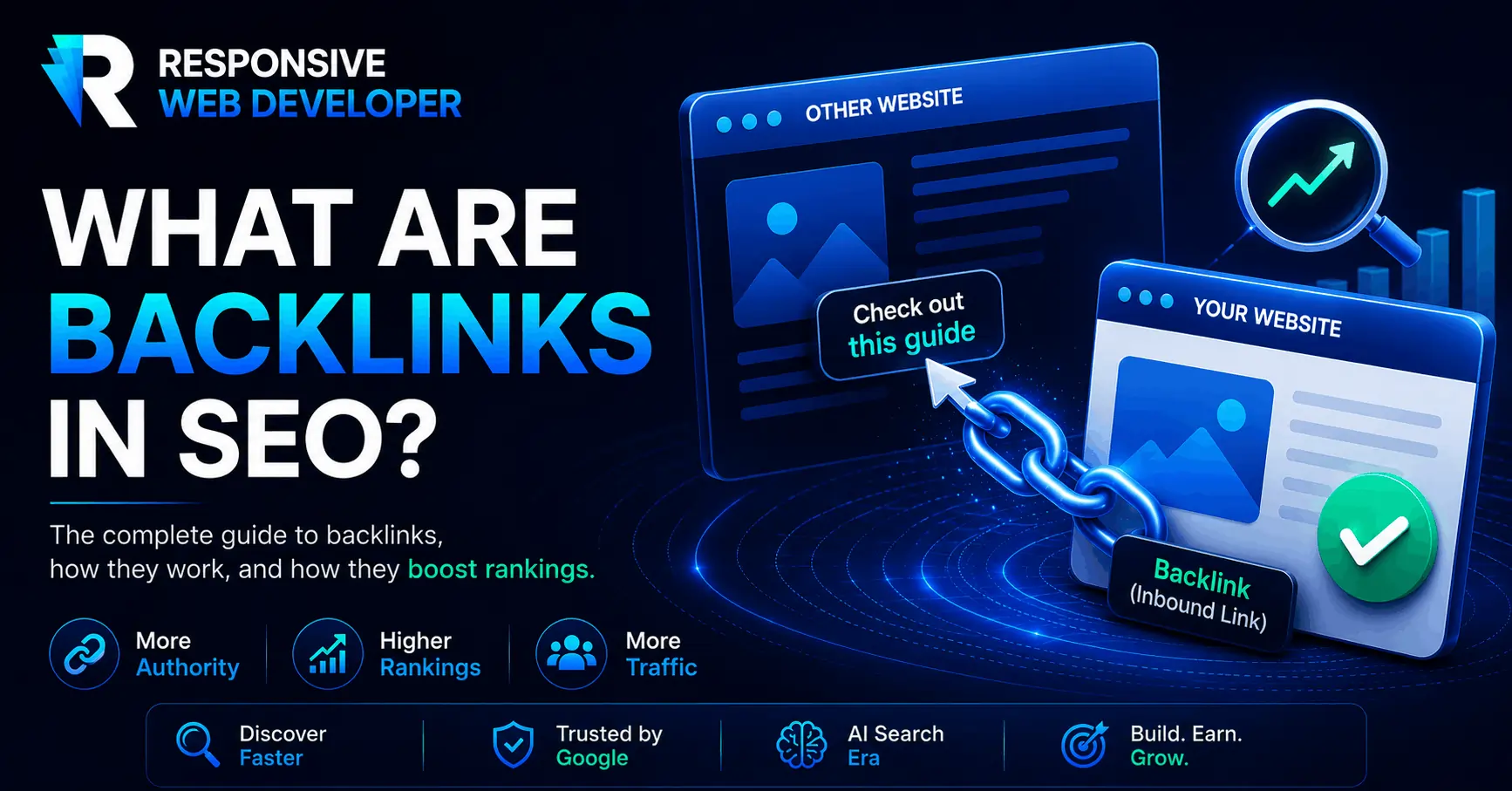
Backlinks are links from other websites to a page on your website. They can bring visitors, help search engines discover your content, and contribute to how search engines assess your pages.
The useful question is what to do with them. Should you pursue a placement, keep an existing link, fix its destination, or leave it alone?
Start by reading the page that links to you. Who uses it? Why would someone click? Does your page deliver what the link promises? Those answers give you a better basis for action than a backlink total alone.
A real backlink you can inspect
Google’s explanation of link analysis and PageRank links to the original PageRank research paper hosted by Stanford. That link gives readers access to the research behind the explanation.
It has three parts:
| Part | What it is in this example |
|---|---|
| Linking page | Google’s guide to its ranking systems |
| Destination | The PageRank research paper on Stanford’s website |
| Anchor text | The clickable words “PageRank research paper” |
Google publishes an outbound link. Stanford receives a backlink. Both terms describe the same link from different sides.
An internal link connects pages on the same website. A brand mention without a clickable link is not a backlink.
You will also see the term referring domain in SEO reports. One website can link to you from several pages, producing multiple backlinks from one referring domain. Keep those counts separate when comparing reports.
What backlinks can do for your website
Backlinks can serve three purposes:
- Send referral visitors. Someone follows a link because your page offers something they need. Measure the resulting visits and enquiries where your analytics can identify them.
- Help search engines discover pages. A crawler may find your page through a link. Discovery does not guarantee indexing or a search position.
- Contribute to search rankings. Google confirms that PageRank remains part of its core ranking systems. Links work alongside other signals.
These outcomes do not always occur together. A link can send a qualified lead even when you cannot establish its ranking effect. Another may appear in a backlink report without sending any measurable traffic.
Five checks before you pursue a backlink
1. Read the paragraph around the link
Identify the reader’s next question. Your destination should help answer it.
An article about preparing product images could use a link to a tested image-compression guide. A general agency homepage would give the reader more work to do.
Relevance can exist at the page level. A newspaper covers many subjects, but a specific article may closely match your expertise.
2. Assess the publisher and the specific page
Look for an identifiable author or organization, useful original material, and an audience with a reason to read it. Check whether the page supports its claims and maintains its resources.
A recognizable domain name does not establish the quality of every page it hosts.
Third-party scores such as Domain Rating and Domain Authority can provide context, but they are not Google’s scores for an individual link. Do not set a universal score threshold and stop investigating there.
3. Establish why the link exists
An editor citing your research has a different reason for linking than a business selling a sponsor listing. Both placements may have a legitimate purpose. Evaluate each on that basis.
Ask whether anyone exchanged money, products, or services for the placement. If they did, check the link’s attributes and assess the opportunity as advertising.
Google’s rules on paid links and link spam distinguish appropriately qualified advertising from links created to manipulate rankings. The policy also covers excessive exchanges, automated link creation, and low-quality directory links.
4. Follow the reader’s path
Click the link. Does it lead directly to the promised resource? Can someone use that resource without searching the site again?
Anchor text should describe the destination clearly. Avoid chasing repeated exact-match keywords at the expense of natural wording.
5. Check that the destination still works
A useful citation loses its practical value when it lands on a missing page or unrelated content.
If you control an old URL, restore the resource or redirect it to a genuinely equivalent replacement. You can also ask the publisher to update the link. Redirecting every missing resource to your homepage rarely satisfies the original reason for the click.
Check the link’s attributes
Publishers can add values to a link’s rel attribute to describe its relationship with the destination.
| Link type | What it means |
|---|---|
| Followed, often called “dofollow” | An ordinary link without the qualifying values below. It does not need a special dofollow attribute. |
nofollow |
The publisher does not want to imply an endorsement or pass ranking credit. |
sponsored |
The link involves advertising, sponsorship, or another form of compensation. |
ugc |
The link appears in user-generated content, such as a forum post or comment. |
To inspect a text link, right-click it, choose Inspect, and locate its <a> element. Look at both the href destination and any rel values. A link can contain more than one value.
Google treats these qualifications as hints when analyzing links. A followed link does not guarantee ranking credit. A nofollow link can still bring interested readers.
The publisher controls the attribute. Settings on your own website cannot change a backlink on someone else’s page.
Turn the checks into a decision
Use the evidence you collected to choose a next step. These are illustrative situations, not predictions of ranking impact.
| Situation | Decision | Next action |
|---|---|---|
| A relevant association maintains a resource page that could use your guide. | Pursue | Explain the specific task your guide helps its members complete. |
| An industry article cites your research with a nofollow link. | Keep | Check the destination and monitor referral visits. |
| A useful tutorial links to your resource at an address that now returns an error. | Repair | Restore or appropriately redirect the resource, or request a URL correction. |
| A seller offers followed links on unrelated sites to increase rankings. | Pass | Decline the placement. |
A paid sponsorship needs a separate advertising decision: audience fit, cost, likely exposure, and appropriate link qualification.
Audit ten existing links before starting outreach
A small review will expose practical issues and help you learn what publishers already find useful about your website.
Open your verified property in Google Search Console, then select Links. Under External links, open Top linked pages, choose a page, and inspect the sites and source pages linking to it.
Review ten source pages as a manageable first exercise. Record:
- Source URL and destination URL
- Anchor text and link attributes
- Why the publisher included the link
- Whether the destination works
- Your next action
Search Console shows a sample, not a complete inventory. Its report can include links that have disappeared, and it does not tell you which links use nofollow. Visit the source pages to check their current state.
Start with a repair if you find one. Correcting a broken path from a useful article gives you a concrete task with a clear benefit for readers.
Use competitors’ backlinks to find publishers you can help
Search Console covers properties you manage. To investigate another website, use a tool such as Ahrefs’ free backlink checker, keeping its free-data limits in mind.
Choose two or three pages addressing the same specific topic as yours. Compare the links pointing to those pages, then open the sources yourself.
Look for the reason behind each citation. Did the publisher need a statistic, a definition, an illustration, or a tool? Does your resource meet that need?
For example, an article may cite a competitor’s outdated browser-support table. If you maintain a current table with a documented testing method, you have a specific resource to suggest. A longer article alone would not solve that problem.
Record the source URL, the reader’s need, your proposed contribution, and the appropriate contact. Treat each backlink as a lead to investigate. The publisher may have no reason to change or add a link.
Give publishers something worth citing
A useful resource makes outreach more specific. For a web development business, that could be:
- An original test: Compare image formats using the same source images. Publish file sizes, compression settings, and the limits of the comparison.
- A reusable checklist: Provide website-launch checks with instructions for verifying each item.
- A documented case: Explain a technical problem, the fix, and measured results, with dates and relevant limitations.
Put the resource on a stable URL. Explain how you produced it and make the useful material easy to find.
Then contact publishers whose existing pages could benefit. Identify the exact article, explain the missing resource, and link directly to the relevant material. Let the editor decide whether it belongs.
Measure what happens after the click
Track which sources send visitors and whether those visitors take useful actions, such as reading another resource, downloading a checklist, or submitting an enquiry. Monitor the destination page’s search performance separately.
Record when links appear, disappear, or change, alongside your own content and technical updates. A ranking change after a new backlink does not prove that the link caused it.
Choose one page worth recommending. Check the links it already receives, repair broken destinations, and identify one publisher whose readers could use it. That gives your next backlink a clear purpose before you spend time pursuing it.
Frequently Asked Questions About Backlinks
How many backlinks do I need to rank?
There’s no universal number. Search your target keyword, run the top five results through a backlink checker, and note their referring-domain counts. That range is your benchmark. Low-competition topics often rank with a handful of relevant links; competitive commercial keywords can demand dozens of strong referring domains.
Do backlinks still matter in 2026?
Yes, with nuance. Google weighs them less than it did a decade ago, and content quality now leads. But backlinks remain one of the few signals a competitor can’t copy overnight, and AI-driven search features also lean on well-cited sources when choosing what to reference.
Are nofollow backlinks worthless?
No. They send referral traffic, help crawlers discover you, and diversify your link profile, and since Google treats nofollow as a hint, some pass value anyway. A nofollow link from a huge relevant site beats a dofollow link from a dead one.
How long until a backlink affects rankings?
Anywhere from a few days to a few months. Google must recrawl the linking page, process the new link, and re-evaluate yours. Links from frequently crawled sites register faster.
Can bad backlinks hurt my site?
Spam you didn’t build is almost always ignored rather than punished. Real risk comes from manipulation you took part in. Reserve the disavow tool for manual actions.
Last Updated on 4 days ago by Alipio Umiten IV
