





What Is SEO?
SEO stands for search engine optimization. It is the practice of improving a website and its content to increase its visibility in organic, or unpaid, search results. The work helps search engines understand your pages and helps people recognize whether those pages meet their needs. Google’s SEO Starter Guide explains these two sides of the task.
For a business, the goal might be relevant inquiries or purchases. For a nonprofit, it might be donations or volunteer applications. For an educational website, it might be helping more people find an accurate answer.
That goal matters. A page attracting the right readers can be more useful than a page attracting a larger, unrelated audience.
How is SEO different from paid search?
SEO focuses on organic search visibility. Paid search uses advertisements. With pay-per-click, or PPC, pricing, an advertiser pays when someone clicks an ad. Google’s explanation of cost-per-click bidding describes that payment model.
You do not pay Google for an organic listing or an organic click. However, SEO still requires resources: research, writing, website maintenance, and sometimes professional help. Google also states that buying its advertising does not improve your organic search placement.
As a planning rule, use SEO when you can invest in useful pages and ongoing improvement. Consider paid search when you need to test a specific offer with a defined advertising budget. The two can work together, but neither guarantees customers.
How search engines find and rank pages
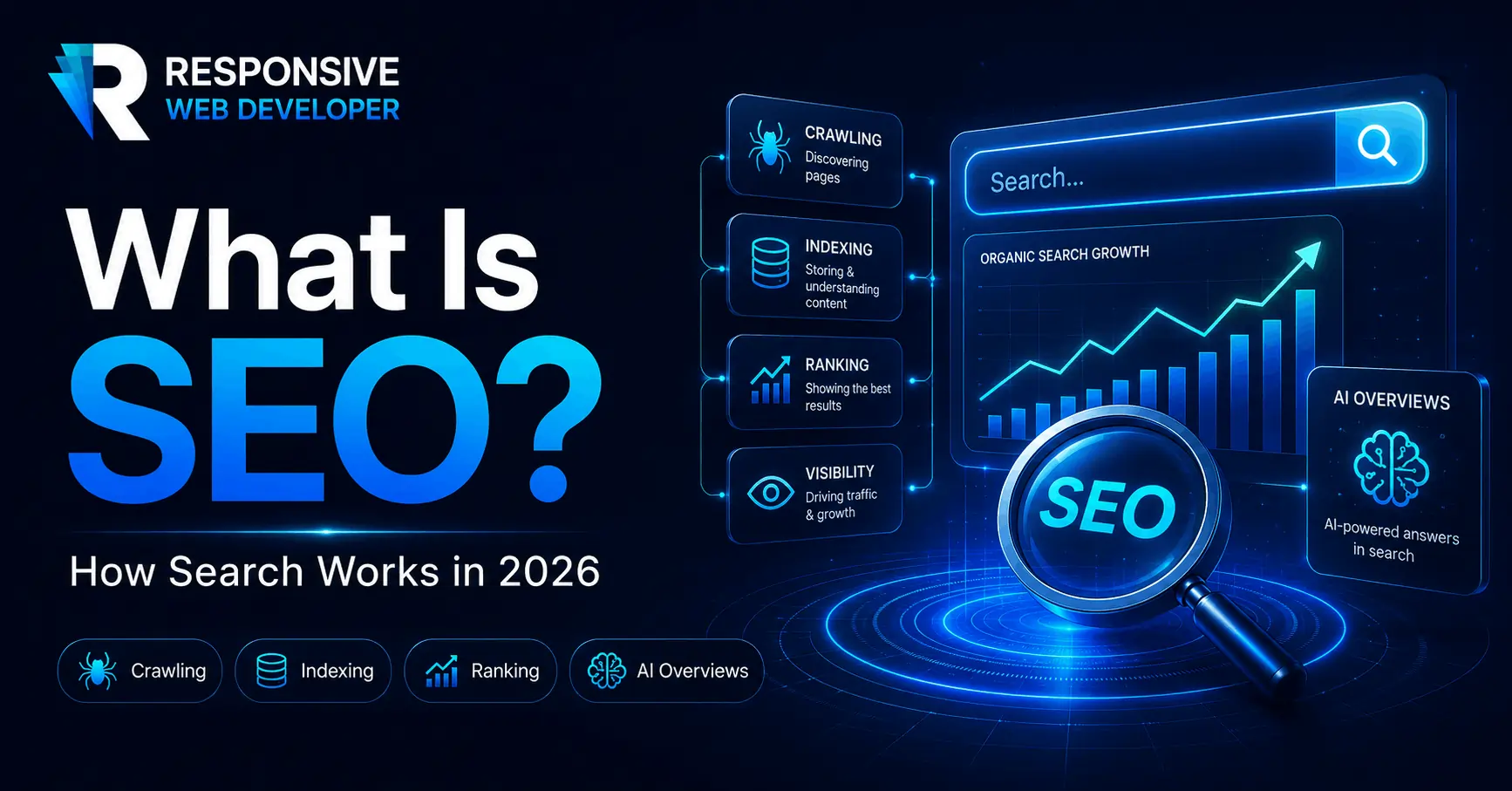
Google describes three main stages in its search process:
- Crawling: Automated programs discover pages and fetch their content. Links from other pages and sitemaps can help with discovery.
- Indexing: Google analyzes a page and may store information about it in its search index, a database used to find results.
- Serving search results: When someone searches, Google selects and orders relevant results using its ranking systems. The query, content, and context, including location, can affect what appears.
These stages are distinct. A published page may not be crawled; a crawled page may not be indexed; an indexed page may not appear prominently for a particular search.
This gives you a useful order of operations: check whether an important page can be found and processed, then assess whether it answers a worthwhile search well.
What SEO involves
SEO work is commonly grouped into on-page, technical, and off-page work. Local SEO applies these efforts to businesses serving a particular area.
On-page SEO: answer the searcher’s task
On-page SEO improves the content and presentation of individual pages.
A keyword is a word or phrase people search for. Search intent is the task behind that search: learning something, comparing options, buying, or finding a particular place or website.
Start with that task. A person comparing products needs meaningful differences. Someone ready to book a service needs availability, pricing information, and a clear way to proceed.
Give readers the information needed to make that decision. Use accurate explanations, relevant examples, and evidence you can substantiate. Google’s content self-assessment questions emphasize usefulness, originality, and trustworthiness.
Then make the page easy to understand:
- Title tag: The page title specified in its HTML. Make it concise, descriptive, and specific to that page.
- Main heading and subheadings: Show the topic and organize the information in a logical order.
- Meta description: Summarize the page’s benefit accurately in its description field.
- Internal links: Connect relevant pages on your own website using text that explains the destination.
Your title tag can influence the title shown in search results, but Google may use other page text. It also often generates the description beneath a result from the page itself, rather than using your meta description. Google’s title guidance and snippet guidance explain these limits.
Technical SEO: make important pages accessible
Technical SEO addresses how search engines discover, access, and process your website.
Check that important public pages load successfully, contain accessible content, and are not accidentally marked noindex, an instruction to exclude a page from search. Meeting the technical requirements makes a page eligible for indexing; it does not guarantee inclusion.
Also use the page on a phone. Look for unreadable text, obstructive pop-ups, unstable layouts, and slow or frustrating interactions. Fix problems that affect visitors. Google cautions against chasing perfect performance scores solely for SEO, since good scores do not guarantee top positions.
Off-page SEO: earn relevant attention and links
Off-page SEO concerns activity beyond your website, particularly earning links from other sites.
A backlink is a link from another website to yours. Google uses link analysis among its ranking systems to understand relationships between pages and which pages may be helpful.
Useful resources, legitimate media coverage, and relevant professional or community relationships can give people reasons to reference your work. Focus on the audience and value of those references.
Buying links to pass ranking credit or creating automated link schemes violates Google’s link spam policies. Advertising and sponsorship links are permitted when appropriately marked.
Local SEO: help nearby customers find you
Local SEO is relevant when you serve customers in a particular area, such as a restaurant, repair business, or dental office.
For an eligible business, keep its Google Business Profile complete and accurate. Include the correct business category, contact details, and hours, and respond helpfully to customer reviews.
Google describes its main local ranking factors as relevance, distance, and prominence, meaning how well known a business is. Your location therefore affects which nearby searches are realistic opportunities.
A practical example: choose the right page before writing
Hypothetical example: Imagine a bakery in Austin that takes custom cake orders for pickup. It serves nearby customers and wants more qualified order inquiries.
Different searches suggest different needs. These are illustrative queries and page recommendations, not observed Austin search results.
| Example search | What the person likely needs | Page or presence to prioritize |
| “custom birthday cakes Austin” | Compare a local bakery’s cakes and ordering options | A custom cake service page with photos, pricing information, lead times, and an inquiry form |
| “how much cake for 20 guests” | Work out an appropriate cake size | A serving-size guide that explains its portion assumptions |
| “bakery near me” | Find a convenient nearby business | An accurate location page and Google Business Profile |
If the bakery’s immediate goal is cake inquiries, start with the custom cake page. A general article about the history of birthday cakes would not answer the same customer need.
Here is a practical improvement sequence:
- Use the existing relevant page. If a custom cake page already exists, review it before creating another page with the same purpose.
- Make the offer specific. Replace a vague heading such as “Our Creations” with “Custom Birthday Cakes in Austin,” if that accurately describes the service.
- Answer ordering questions. Add photos of actual products, available options, current prices or price ranges, ordering deadlines, and pickup details.
- Connect and test it. Link to the page from relevant navigation and guides. Complete the inquiry process on a phone to check that it works.
This connects the customer’s search, the page’s content, and the action the business wants to support.
How to measure SEO and decide what to fix
Use search visibility metrics alongside the outcomes your website exists to produce.
Google Search Console’s Performance report includes:
- Impressions: How often your site appeared in search results.
- Clicks: How often someone clicked through from those results.
- Click-through rate, or CTR: Clicks divided by impressions.
- Average position: An aggregate measure of where your results appeared, not a fixed ranking everyone sees.
Review the relevant pages and queries, and compare similar periods. Google’s Performance report documentation explains the metrics and available breakdowns.
Separately, track useful actions through your website analytics and business records: qualified inquiries, purchases, bookings, or another defined outcome. Search Console clicks alone cannot tell you whether those actions happened.
Use the symptom to choose your next check
The table below is a troubleshooting framework. Its explanations are possibilities to investigate, not diagnoses.
| What you observe | Possible explanation | What to check first |
| An important page is not indexed | Access problems, an indexing instruction, or duplication | Inspect the specific URL and read the reported reason before changing its copy |
| The page is indexed but gets few relevant impressions | Limited demand, an intent mismatch, or strong competition | Review the queries, the intended audience, and the kinds of pages appearing for those searches |
| Relevant impressions produce few clicks | Low positions, competing search features, or an unclear search listing | Compare query-level performance and inspect the displayed title and description |
| Visits arrive but produce few useful actions | The wrong audience, an unclear offer, or a broken process | Check visitor questions, offer details, and the form or checkout on mobile |
For indexing questions, Google’s URL Inspection tool reports information about a specific page and can test its current accessibility and indexability.
Hypothetical measurement example: Suppose the bakery records 100 organic website visits and five qualified inquiries in one month. The next month, using the same tracking setup, it records 150 visits and three inquiries. Traffic increased, but inquiries fell. Investigate the audience and inquiry process before calling the change a success.
Two monthly totals do not establish what caused the difference. Check for changes in demand, tracking, and the website itself.
How long does SEO take?
There is no reliable deadline that applies to every website.
Google says some changes can be reflected within hours, while others take several months. It generally suggests allowing a few weeks to assess whether changes helped. That describes the processing and evaluation of changes, not a promise of traffic, leads, or revenue.
Keep a record of what you changed and when. Set review dates, account for seasonal demand, and avoid treating every daily fluctuation as evidence that an edit worked or failed.
What about AI search?
For Google’s AI Overviews and AI Mode, the established SEO foundations still apply. Google says a page must be indexed and eligible for a search snippet to be considered as a supporting link. It does not require special AI files or a separate structured-data format for those features.
That guidance is specific to Google’s features. For a beginner, a sensible priority is useful, accurate content and accessible pages before investing in additional optimization labels.
Common SEO mistakes to avoid
- Choosing a topic only because it is popular. Ask whether its audience has a reason to use your website or become a customer.
- Creating a separate page for every keyword variation. As a rule of thumb, closely related searches with the same task can often share one useful page. Different tasks may deserve separate pages.
- Adding words to reach a supposed ranking target. Google says it has no preferred word count. Include what readers need and remove what they do not.
- Repeating keywords unnaturally or mass-producing low-value pages to manipulate rankings. Google’s spam policies address both keyword stuffing and scaled content abuse, regardless of how the content is produced.
Start with one important page
Choose a page tied to a real reader need and a useful outcome. Check whether Google can access it, identify the task it should help someone complete, and fix the first clear obstacle. Record the change and use the measurement framework above to decide what deserves attention next.
Frequently Asked Questions About SEO
Here are clear, beginner-friendly answers to the most common SEO questions people ask.
What exactly does SEO do?
SEO improves your website so search engines can discover, understand, and confidently recommend its pages. It helps you earn visibility and traffic from unpaid search results by improving your content, site structure, technical performance, and authority. SEO cannot guarantee a particular ranking, but it increases your chances of appearing when people search for what you offer.
How do I start SEO for beginners?
Start by setting up Google Search Console and checking whether your important pages are indexed. Choose one specific phrase your customers genuinely search for, study the results already ranking for it, and create a page that answers the query more clearly and completely. Use a descriptive page title and main heading, add useful internal links, and make sure the page works well on mobile devices. Google recommends helpful, people-first content and prominent use of the words people use to find it.
What is the best SEO tool for beginners?
Google Search Console is the best starting SEO tool for most beginners because it shows how your own website performs in Google Search. You can see which queries display your pages, how many impressions and clicks they receive, and which indexing issues need attention. Google Analytics can then help you understand what visitors do after reaching your site, while PageSpeed Insights can identify performance problems.
What is the 80 20 rule for SEO?
The 80/20 rule for SEO is a prioritization principle, not a guaranteed formula. It suggests that a relatively small share of your pages, keywords, or improvements may generate most of your organic traffic and conversions. Use Search Console to identify pages already receiving impressions or ranking close to page one, then concentrate on improving the opportunities most likely to produce meaningful results.
Will SEO be replaced by AI?
AI will not replace SEO, but it is changing where and how content appears. Websites can now gain visibility through citations and references in AI-generated answers as well as through traditional search listings. Search engines still need to discover, interpret, and evaluate the underlying content, so clear structure, original information, technical accessibility, and credibility remain important. Bing now even reports when websites are cited in AI-generated answers.
Is SEO worth it for small businesses?
SEO can be especially valuable for small businesses because it helps them reach people who are already searching for a service, product, or local provider. A well-optimized service page or Google Business Profile can continue attracting prospective customers without charging the business for every click. SEO still requires time and investment, but successful pages can produce traffic and leads long after they are published.
What is better than SEO now?
Nothing has universally replaced SEO. Generative Engine Optimization, or GEO, helps content get understood, summarized, and cited by AI-powered systems, while Answer Engine Optimization, or AEO, focuses on structuring content so search engines and assistants can deliver it as a direct answer. The strongest approach is not to choose between SEO, GEO, LLMO, SXO and AEO, but to create original, well-structured, trustworthy content that can perform in traditional search results, featured answers, and AI-generated responses. Google says the same foundational SEO practices continue to apply across its generative AI search experiences.
Is SEO in danger?
SEO itself is not in danger, but some traditional tactics are. Publishing shallow articles, repeating keywords, buying manipulative links, and producing generic content at scale are increasingly unlikely to deliver durable results. Businesses should focus less on rankings alone and more on being visible wherever customers search, earning trust, answering high-intent questions, and becoming a source that both people and search systems consider worth recommending.
Can anybody do SEO?
Yes. Business owners and beginners can handle many SEO basics themselves, including keyword research, content improvements, internal linking, and Google Search Console setup. More technical issues or highly competitive markets may require specialist help, but you do not need to be an expert to start improving your website’s search visibility.
Related Articles:
- Why Is SEO Important? 9 Reasons It Pays Off in 2026
- How to Do SEO: A 5-Step System for Beginners
- How to Learn SEO: A Step-by-Step Roadmap for Beginners
- How to Work in SEO: Skills, Jobs & Career Roadmap
- Is SEO Dead in 2026? No, But These 5 Tactics Are
- Types of SEO: Which Types Does Your Site Actually Need?
- How Long Does SEO Take to Work? A Month-by-Month Timeline
- Is SEO Worth It in 2026? Costs, ROI and When to Skip It
- SEO Terms: 225 SEO Glossary Every Beginner Should Know
Last Updated on 13 hours ago by Alipio Umiten IV
